
Using CHKDSK (Graphical)
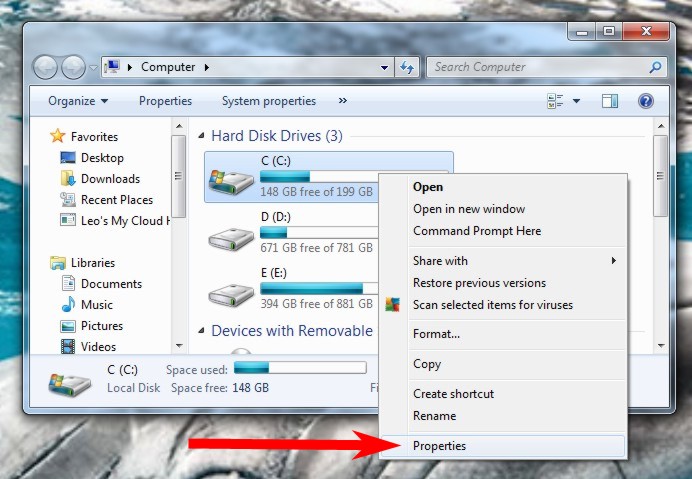
You can also use CHKDSK from within Windows Explorer. To do so, double click on “Computer” and make sure the C: drive is visible. Right click the C: drive and choose Properties:
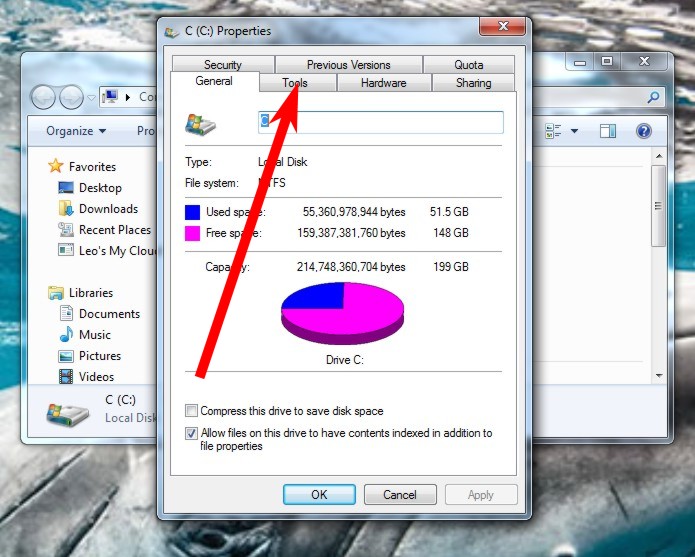
Click on the Tools tab of the resulting dialog box.
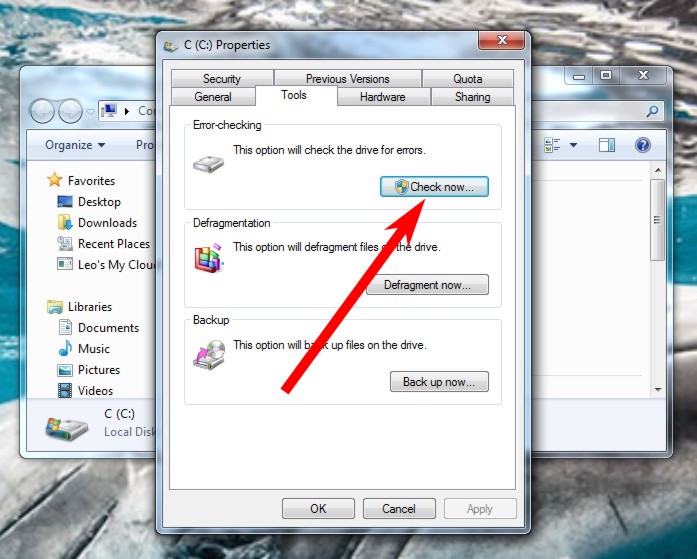
Click Check Now.
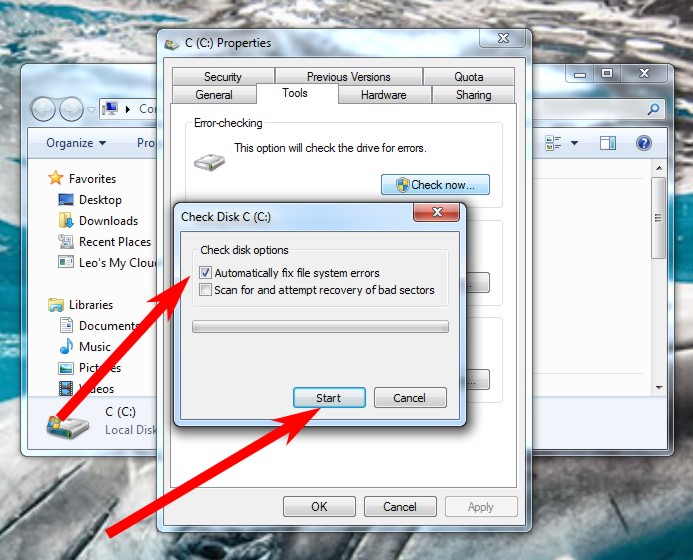
Make sure “Automatically fix file system errors” is checked, and then click Start.
You will get a message about the drive being busy; be sure to choose to scan the drive when the computer restarts.
Restart the computer.